


Voice Recorder
4.9127.38K Reviews
App Specs
- Version
- 87.1
- Updated On
- License
- Free
- Downloads
- 50,000,000+
- Developer
- quality apps (recorder, weather, music)
- Categories
- Music & Audio
- Platform
- Android
Screenshots
 Analysis by AppCompare
I choose a voice recorder based on a few practical questions: can I start capturing a thought quickly, will the result be easy to find later, and can I get the audio off my phone without fuss? Voice Recorder is aimed at people who want a straightforward answer to those needs rather than a full audio-editing workspace. I’d consider it for everyday notes, class or meeting recordings, and rough musical ideas, while keeping in mind that a phone recorder is not a substitute for a dedicated setup when sound quality is critical.
Decide what you need to capture
Before installing any recorder, I’d think about the recordings I actually make. A quick reminder has different requirements from a long interview: for the first, speed matters most; for the second, clear speech, reliable file handling, and a way to review the audio matter more. If you mainly need brief spoken notes, a focused recorder can be more convenient than opening a general-purpose audio editor or a note-taking app with recording buried inside it.
For students, the useful question is whether recording complements their notes, not whether it replaces them. A recording can help revisit a difficult explanation, but searching through a long file for one detail takes time. I’d jot down a topic or timestamp while listening, then use a clear filename and any available organizing tools so the audio remains useful after class. For interviews, I’d also make sure everyone knows recording is taking place and check the relevant rules before pressing record.
Where its simple approach helps
The app is free to download, is listed for everyone, and comes from quality apps (recorder, weather, music). Its average rating is 4.9 from around 1.3 million ratings, and it has passed 50 million installs. Those figures suggest it has reached a large audience, but I wouldn’t treat popularity as proof that it suits every recording job. The more meaningful point is that its basic purpose is easy to understand: use a phone as a portable audio recorder.
A realistic use is catching a thought between errands. I might be walking to the bus, remember a detail for a project, and record a short note instead of typing while moving. Later, I can sort it with a useful name rather than leaving it as an indistinguishable file. That small habit is more valuable than piling up dozens of recordings called something vague; organization only helps if I use it at the moment the file is made.
It can also be a convenient starting point for a musician who wants to remember a melody before it disappears. I’d treat the recording as a sketch, not a finished demo: keep the phone close enough to capture the idea, avoid handling it while recording, and listen back before assuming the sound is usable. A phone’s built-in microphone and the room around it shape the result, so a quiet space and sensible placement can matter more than toggling settings.
How Voice Recorder fits into everyday recording
I find a recorder most useful when it fits a small habit rather than demanding a whole new workflow. Before relying on one, I’d decide how I’ll name and revisit clips, since a quick recording is only valuable if I can find it later. That everyday test also helps separate a convenient pocket tool from the more specialized options worth considering for demanding audio work.
Worth Reading Before You Choose

Flipboard Shows What News Apps Must Do Beyond the Feed

Switching to Android Auto Means Rethinking Your Driving Routine

Google Calendar Makes a Crowded Week Easier to Manage

Ludo King Makes the Most of the Minutes Between Plans

Baby Panda World Brings Quick Play to Modern Phones, but Its Game Library Feels Busy

ESPN’s Live Game View Makes Following Close Games Easier
The First Impressions
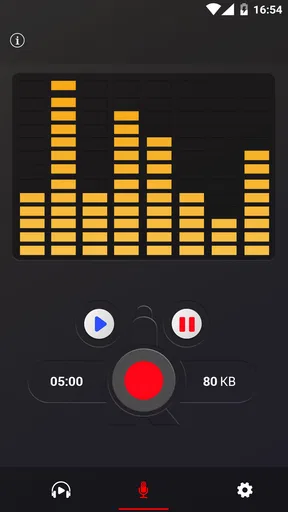
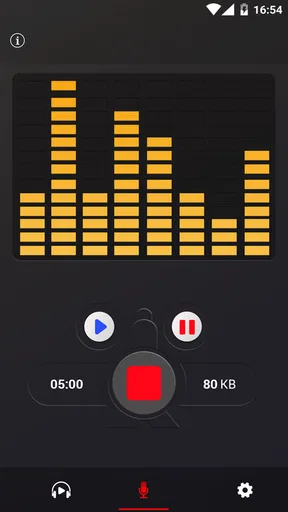
The minute I installed the Voice Recorder app, I was greeted by an interface that felt refreshingly intuitive. There’s something about an app that doesn’t try too hard to impress with flashy graphics and instead focuses on what really matters: functionality. With its clean and minimalistic design, I found myself navigating through it without any hiccups.
Setting Up and Getting Started
Getting started with the app is as smooth as it gets. Once you've granted it the necessary permissions—don’t worry, it only asks for the essentials like microphone access—you're all set to hit the record button. I appreciate how it doesn’t bombard you with unnecessary permissions, which is a huge plus for those of us who are a bit privacy-conscious.
For an important recording, I’d do a short test first: record a few seconds from the seat or position I plan to use, then play it back through headphones. That catches common problems early, such as a muffled microphone, distant speech, or a noisy room. I’d also check that the phone has enough free space and battery for the session. These simple checks are especially worthwhile before a lecture, interview, or meeting that can’t easily be repeated.
Recording Quality and Features
Let’s talk about the recording quality because, let’s face it, that’s the heart of any voice recording app. The Voice Recorder app delivers crisp and clear audio that’s perfect for everything from voice memos to interviews. I tried recording in various environments, and the noise reduction feature did a commendable job of filtering out background noise.
Noise reduction can be helpful, but I wouldn’t expect it to rescue speech recorded far from the phone or in a room full of competing voices. In practice, getting closer to the speaker and choosing a quieter spot is a better first step than relying on processing afterward. If a recording sounds strange, I’d compare a short test with the feature enabled and disabled before committing to a long session; filtering can sometimes change the character of voices as well as the background.
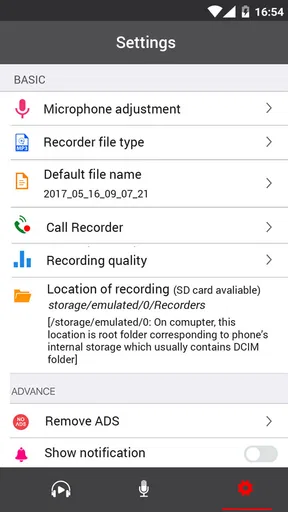
One of my favorite features is the ability to choose different audio formats. Whether you need a high-quality WAV file or a more space-efficient MP3, this app has got you covered. Plus, the ability to pause and resume recording saves you from the hassle of editing out unwanted parts later.
Format choice is a practical trade-off, not just a technical setting. I’d lean toward a less space-hungry option for routine reminders and longer recordings that I only need to replay, while choosing an uncompressed format when I want more flexibility for later editing. Before sharing a file, I’d check which format the recipient or their device can handle. Pausing is useful for breaks, but I’d listen around the pause points afterward if continuity matters, since a recording with several stops may be harder to follow than one uninterrupted take.
Organizing and Sharing Your Recordings
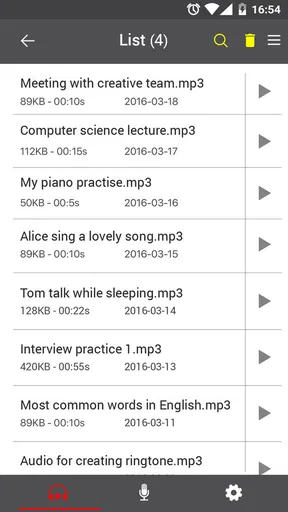
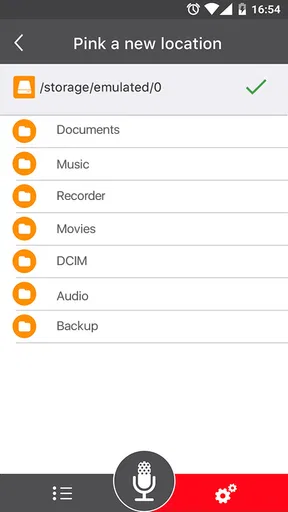
Organization is key, and the app doesn’t disappoint. It lets you categorize your recordings, add notes, and even mark favorites. Trust me, when you’ve accumulated a bunch of recordings, these features are lifesavers.
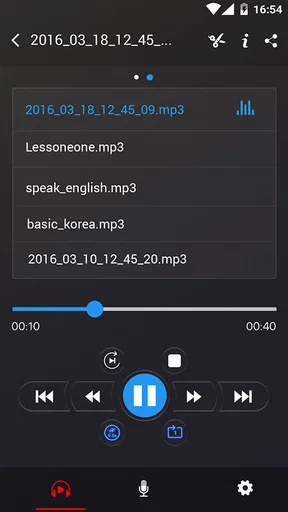
A simple naming routine makes those tools work harder: include the subject and a distinguishing detail, such as the course or project, rather than relying on a date alone. For recurring meetings, I’d use a consistent pattern so related files sit together when I browse them. Favorites are best reserved for recordings I expect to revisit; marking everything defeats the purpose and makes the important clip less noticeable.
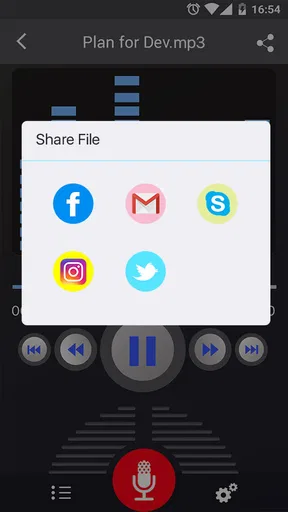
Sharing your recordings is as easy as pie. Whether you’re sending a quick voice memo to a colleague or sharing a lecture with classmates, the app integrates seamlessly with email and social media platforms. It’s like having a mini recording studio right in your pocket.
Before sending a recording, I’d play the beginning and end to check that it contains only what I intend to share. A meeting or interview may include private remarks before the formal conversation starts, and an audio file can be more revealing than a written summary. For a long class recording, I’d also consider whether the recipient really needs the whole file or whether a focused excerpt would be easier to use.
The Little Extras
Sometimes, it’s the little extras that make an app stand out. The Voice Recorder app includes a widget for quick access, and it even supports cloud backup. No more worrying about losing your important recordings if your phone takes an unexpected plunge.
Quick access is most useful when a thought is fleeting, but I’d still check the phone screen before recording in a sensitive situation: convenience does not replace being considerate or following local rules. Cloud backup can add reassurance, yet I’d confirm that important files have actually been backed up before deleting anything from the device. For confidential conversations, I’d think carefully about where an audio copy is stored and who can access it, rather than assuming that a backup is automatically the safest choice.
Oh, and there’s a transcription feature. It’s not perfect, but it’s a handy addition for those times when you need a written version of your recordings in a pinch.
I’d use transcription as a draft to search or skim, not as a final record of exact wording. Names, technical terms, accents, and overlapping voices can all lead to mistakes, so I’d verify anything that affects a decision or needs to be quoted accurately by listening to the audio. For a quick personal reminder, an imperfect text version may be enough; for formal notes, I’d review it carefully.
When another kind of tool is a better fit
The usual alternatives serve different purposes. A built-in recorder may be enough if I only need an occasional voice note and prefer not to add another app. A note-taking app can be a better choice when typed notes and audio need to live together. A dedicated audio editor is more appropriate when I need detailed trimming, mixing, or production work, while external recording equipment is the better direction when the microphone and room acoustics are central to the job.
I wouldn’t choose a basic phone recorder as the sole plan for irreplaceable evidence, a polished music release, or a high-stakes interview where every word must be captured cleanly. In those cases, I’d use equipment suited to the situation and make a backup recording where appropriate. The app’s convenience is its strength, but convenience does not guarantee professional sound, secure handling, or a flawless transcript.
What to expect from the cost and setup
The app is free, with in-app purchases listed at $6.99 per item. I’d begin with the free experience and only consider a purchase if I understand what it adds and know I’ll use it; there’s no reason to pay simply because an option appears. It was released on November 4, 2016, and its current version is 87.1. It requires Android 6.0 or later, which makes checking device compatibility a sensible first step before planning to rely on it.
Switching from another recorder is usually less about learning a new record button and more about moving old audio. Before changing apps, I’d decide which recordings need to come along, export or copy those files, and play a sample from the new location. I’d keep the old app available until I’ve confirmed that important clips open and that my naming or folder habits still make sense. That avoids the frustrating discovery that a familiar archive was left behind after a quick uninstall.
Final Thoughts
In a world filled with apps that promise the moon and stars, the Voice Recorder app keeps it real by delivering exactly what it promises: a reliable and efficient recording experience. It’s perfect for students, professionals, musicians, or anyone who needs to capture audio on the go.
My recommendation is strongest for someone who wants a handy recorder for everyday speech, quick ideas, or reference audio and is willing to organize files and check important recordings. I’d suggest looking elsewhere if your priority is deep editing, carefully controlled studio sound, or a workflow built around extensive written notes. For ordinary capture, it offers a practical place to start without making recording feel like a technical project.
Whether you're a seasoned user or just dipping your toes into the world of voice recording, this app is worth a try. So, go ahead and give it a whirl. Who knows, it might just become your new favorite tool.
Pros
- High-quality audio recording capabilities.
- User-friendly interface with intuitive controls.
- Supports multiple audio formats for versatility.
- Seamless cloud integration for easy backups.
- Lightweight app with minimal battery usage.
Cons
- Limited editing features within the app.
- Ads may interrupt the user experience.
- No option for direct transcription of recordings.
- Requires in-app purchases for some features.
- No built-in noise reduction for recordings.
FAQs for Voice Recorder
What platforms is the Voice Recorder app available on?
The Voice Recorder app is available for both Android and iOS devices. You can download it from the Google Play Store for Android or the Apple App Store for iOS. Ensure your device meets the minimum operating system requirements for smooth functionality.
Does the Voice Recorder app offer cloud storage integration?
Yes, the Voice Recorder app supports cloud storage integration, allowing you to save your recordings directly to services like Google Drive or Dropbox. This feature ensures that you can access your recordings from any device, and provides an extra layer of security by backing up your files.
Can I edit my recordings within the app?
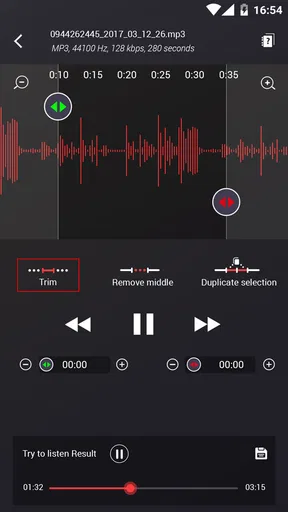
The Voice Recorder app includes basic editing features, such as trimming, cutting, and merging audio files. This functionality allows you to refine your recordings without needing additional software. However, for more advanced editing features, you might need to export your files to a dedicated audio editing app.
Is the Voice Recorder app suitable for professional use?
While the Voice Recorder app is user-friendly and offers high-quality audio recording, its suitability for professional use depends on your specific needs. It features noise reduction and various audio formats, which can be beneficial for interviews and meetings. However, for advanced audio engineering, specialized equipment and software might be necessary.
Are there any in-app purchases or ads in the Voice Recorder app?
The Voice Recorder app is free to download, but it may include ads and offer in-app purchases. These purchases often provide additional features, such as expanded storage options, ad removal, or enhanced editing tools. Be sure to check the app’s description for detailed information about these features before downloading.


